Color Taylor

Color Taylor

A color picker that shows how color models move together.

  • Design Engineer
  • 6 months hobby
    3 weeks dedicated
  • September 2026
  • Web app and Figma plugin
  • React

Most color pickers put RGB and HSB side-by-side, but never show how they relate.

Color Taylor shows you every color and how every slider is interconnected. User interactions highlight affected elements.

I researched, designed and built it as a web app, a narrated explainer presentation, and a Figma plugin.

Try It Yourself

The problem

Every picker shows the numbers. Few show how they relate.

While working on the color picker for Godot 4.0 I did a lot of competitive research. Game engines and creative tools assume a lot of knowledge about color models and do very little to educate. There’s little effort to show the connections between color pickers and values, but there are ways to visualize this information.
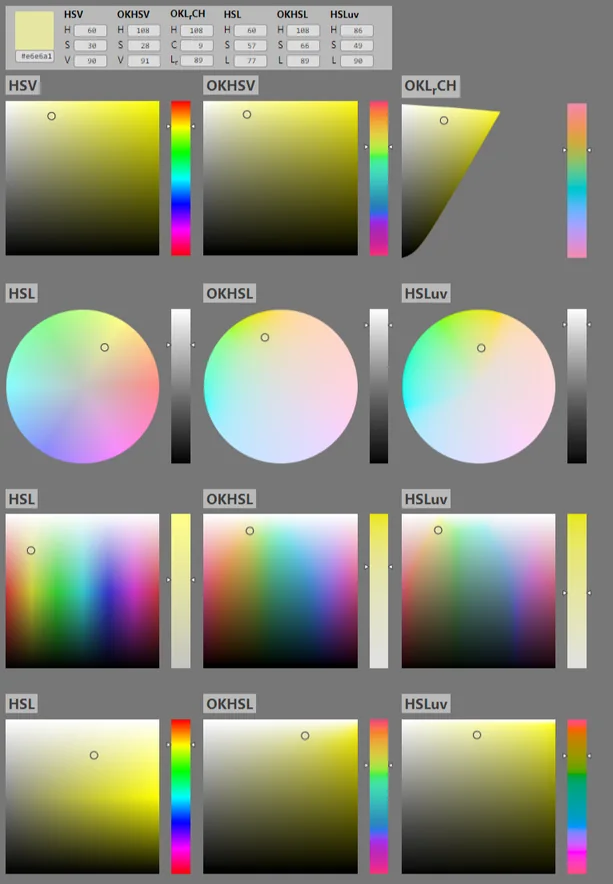
OKHSV comparison of HSV, HSL and perceptual pickers
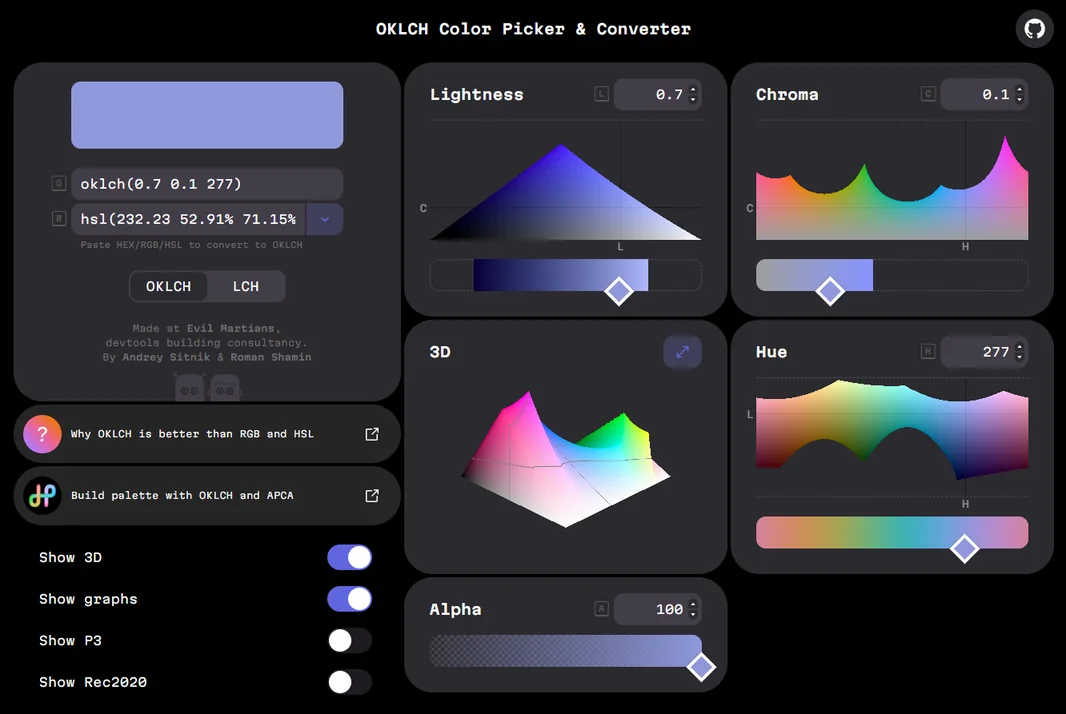
Evil Martians' OKLCH Color Picker and Converter, with lightness, chroma and hue graphs and a 3D gamut
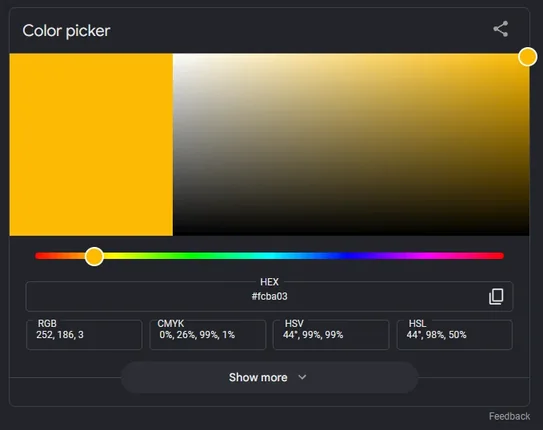
Google's color picker from search results, with HEX, RGB, CMYK, HSV and HSL
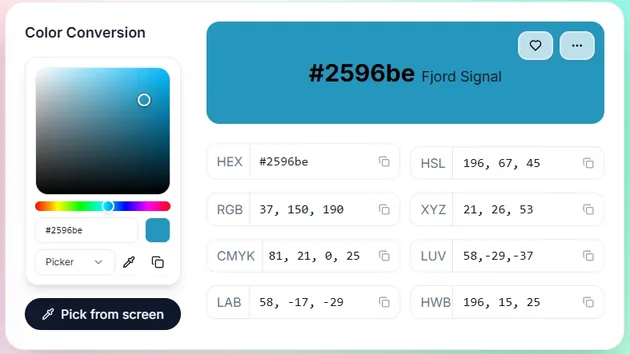
A color conversion tool listing one color in HEX, RGB, CMYK, LAB, HSL, XYZ, LUV and HWB
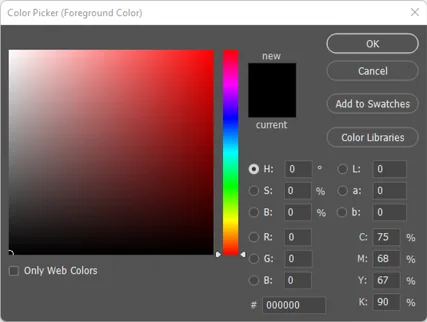
Adobe Photoshop color picker
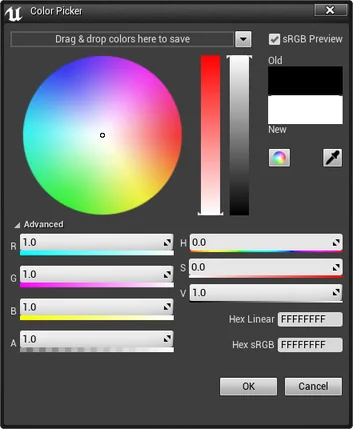
Unreal Engine color picker
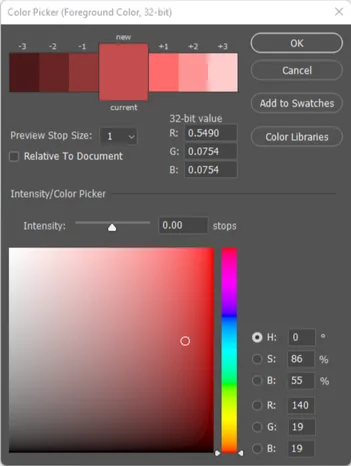
Adobe Photoshop 32-bit color picker
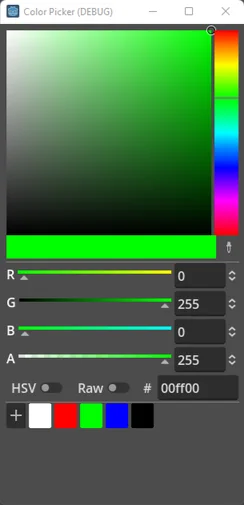
Godot 4.0 color picker, in progress
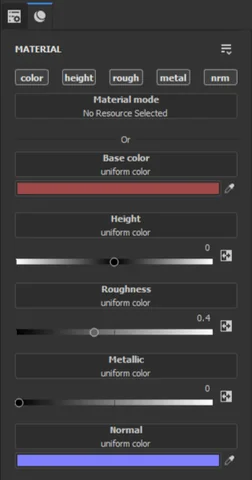
Substance Painter material panel
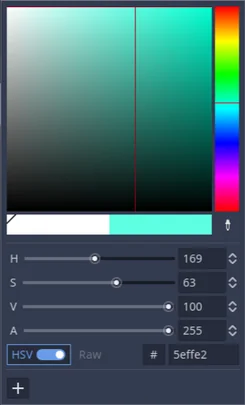
Godot 3.4.4 color picker
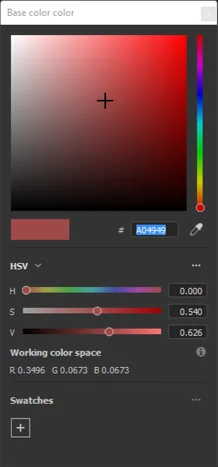
Substance Painter base color picker
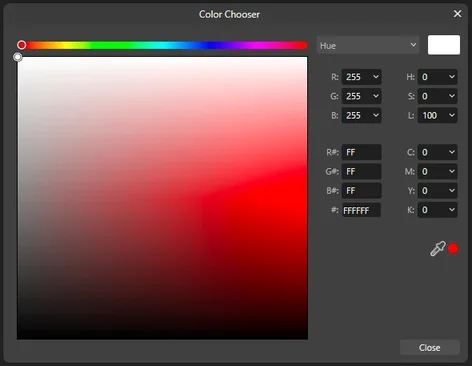
A desktop app's Color Chooser dialog: a hue strip over a saturation and brightness square, with RGB, HSL, hex and CMYK fields
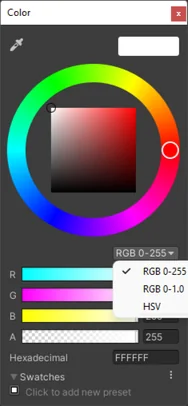
Unity color picker, dark theme
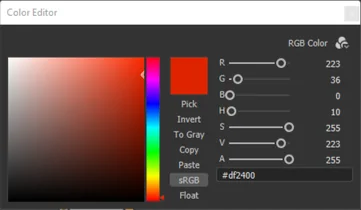
Substance Designer color editor
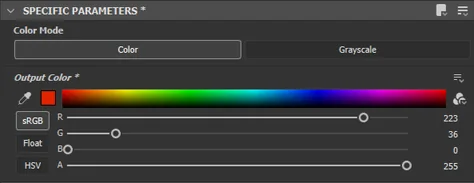
Substance Designer output color parameters
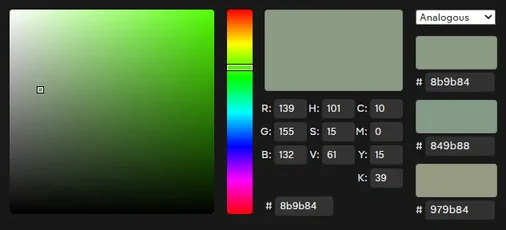
A web color picker with RGB, HSV and CMYK fields and three analogous swatches
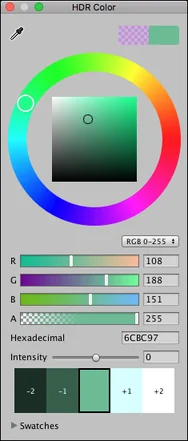
Unity HDR color picker, light theme
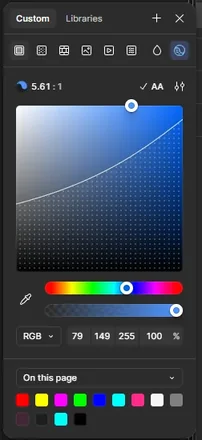
Figma's color picker, with a contrast ratio readout and the page's colors

Various color pickers from my research.

Challenges

“How do you introduce people to the science behind a tool they use every day?”

Very technical

The documentation that exists is written for engineers, not for the people picking colors all day.

No clear connections

Move one slider and the rest jump. Nothing in the picker shows why.

An afterthought

Pickers are rarely designed to teach, so people work without understanding what’s under the hood.

Design Principles

Let people play their way into the science.

Make it fun

Hands-on play is the best way to really show people how these systems work.

Make it beautiful

It had to look and feel considered and polished.

Keep it simple

Every detail narrows the audience. A simple thesis was essential.

The solution

Color Taylor 1.0:
Using a hexagon to visualize the often mysterious relations between color sliders.

Map Red, Green, and Blue
to a Color Wheel

I found a novel way to graph RGB relations to a shape that reflects HSB/HSL color models. For me, seeing the trigonometry that determines Hue was an epiphany.

Every color model moves together

Moving a single slider highlights every other slider affected by it, revealing the relationships hidden by other color pickers.

Lightness (HSL), when you need it

HSB and HSL describe the same colors with a different third axis: Lightness is HSL’s, as Brightness is HSB’s. Run both slider banks through one sequence of colors and watch where they agree and where Lightness and Brightness part ways.

All 141 HTML colors, on the hex and searchable by name

Plot every named HTML color on the hexagon, faded by how far it sits from the current brightness. The search field names the nearest one and how far away it is.

Save swatches and play through them like a timeline

Save colors to your swatches slots. Press play and the swatches run in sequence, with the hexagon following each one: the stems, the dot and the bars move as one.

Process

6 months as a hobby project.

815 commits (saved snapshots of the code, tracked with Git and kept on GitHub) between March 28 and launch on September 17, in two bursts around a summer break. The hexagon was there on day one; the months went into everything around it: which sliders, in what order, and how much to show before someone asks.

3,966 GitHub contributions since March 221,013 commits to Color Taylor (26%)
GitHub contributions since March 22, with Color Taylor commits highlighted3,966 contributions from 2026-03-22 to 2026-09-27, one bar per day; 1,013 of them are commits to Color Taylor, shown in green at the top of each bar, in two bursts from late March to May and from August to September.MarAprMayJunJulAugSepSaturday, Mar 28: 14 contributions, 14 to Color TaylorSaturday, Apr 4: 39 contributionsFriday, Mar 27: 4 contributionsSaturday, Apr 11: 7 contributionsFriday, Apr 3: 19 contributions, 19 to Color TaylorSaturday, Apr 18: 46 contributionsThursday, Mar 26: 2 contributionsFriday, Apr 10: 3 contributionsSaturday, Apr 25: 1 contributionThursday, Apr 2: 70 contributions, 70 to Color TaylorFriday, Apr 17: 0 contributionsSaturday, May 2: 18 contributionsWednesday, Mar 25: 4 contributionsThursday, Apr 9: 31 contributionsFriday, Apr 24: 0 contributionsSaturday, May 9: 1 contributionWednesday, Apr 1: 1 contributionThursday, Apr 16: 0 contributionsFriday, May 1: 5 contributionsSaturday, May 16: 209 contributions, 97 to Color TaylorTuesday, Mar 24: 2 contributionsWednesday, Apr 8: 7 contributionsThursday, Apr 23: 0 contributionsFriday, May 8: 23 contributionsSaturday, May 23: 1 contributionTuesday, Mar 31: 3 contributionsWednesday, Apr 15: 0 contributionsThursday, Apr 30: 2 contributionsFriday, May 15: 61 contributionsSaturday, May 30: 35 contributionsMonday, Mar 23: 5 contributionsFriday, May 22: 54 contributions, 21 to Color TaylorTuesday, Apr 7: 3 contributionsWednesday, Apr 22: 0 contributionsThursday, May 7: 9 contributionsSaturday, Jun 6: 25 contributionsMonday, Mar 30: 11 contributions, 9 to Color TaylorFriday, May 29: 34 contributionsTuesday, Apr 14: 6 contributionsWednesday, Apr 29: 8 contributionsThursday, May 14: 2 contributionsSaturday, Jun 13: 37 contributionsSunday, Mar 22: 0 contributionsMonday, Apr 6: 28 contributionsTuesday, Apr 21: 2 contributionsWednesday, May 6: 14 contributionsThursday, May 21: 37 contributions, 25 to Color TaylorFriday, Jun 5: 28 contributionsSaturday, Jun 20: 4 contributionsSunday, Mar 29: 6 contributions, 6 to Color TaylorMonday, Apr 13: 6 contributionsTuesday, Apr 28: 0 contributionsWednesday, May 13: 25 contributionsThursday, May 28: 35 contributionsFriday, Jun 12: 8 contributionsSaturday, Jun 27: 0 contributionsSunday, Apr 5: 62 contributionsTuesday, May 5: 1 contributionWednesday, May 20: 86 contributions, 48 to Color TaylorThursday, Jun 4: 27 contributionsFriday, Jun 19: 0 contributionsMonday, Apr 20: 19 contributionsSaturday, Jul 4: 40 contributionsFriday, Jun 26: 0 contributionsSunday, Apr 12: 24 contributionsTuesday, May 12: 80 contributionsWednesday, May 27: 40 contributionsThursday, Jun 11: 0 contributionsSaturday, Jul 11: 30 contributionsMonday, Apr 27: 2 contributionsSunday, Apr 19: 23 contributionsTuesday, May 19: 0 contributionsMonday, May 4: 13 contributionsWednesday, Jun 3: 33 contributionsThursday, Jun 18: 0 contributionsFriday, Jul 3: 19 contributionsSaturday, Jul 18: 40 contributionsSunday, Apr 26: 1 contributionTuesday, May 26: 75 contributionsWednesday, Jun 10: 0 contributionsThursday, Jun 25: 6 contributionsFriday, Jul 10: 53 contributionsMonday, May 11: 7 contributionsSaturday, Jul 25: 1 contributionSunday, May 3: 9 contributionsMonday, May 18: 54 contributions, 28 to Color TaylorThursday, Jul 2: 36 contributionsFriday, Jul 17: 0 contributionsTuesday, Jun 2: 45 contributionsWednesday, Jun 17: 0 contributionsSaturday, Aug 1: 14 contributions, 14 to Color TaylorSunday, May 10: 9 contributionsThursday, Jul 9: 0 contributionsFriday, Jul 24: 59 contributionsWednesday, Jun 24: 6 contributionsTuesday, Jun 9: 11 contributionsMonday, May 25: 59 contributionsSaturday, Aug 8: 0 contributionsSunday, May 17: 23 contributions, 14 to Color TaylorFriday, Jul 31: 0 contributionsThursday, Jul 16: 6 contributionsWednesday, Jul 1: 7 contributionsMonday, Jun 1: 25 contributionsTuesday, Jun 16: 2 contributionsSaturday, Aug 15: 42 contributionsSunday, May 24: 1 contributionWednesday, Jul 8: 33 contributionsThursday, Jul 23: 53 contributionsMonday, Jun 8: 32 contributionsTuesday, Jun 23: 19 contributionsFriday, Aug 7: 0 contributionsSaturday, Aug 22: 27 contributionsSunday, May 31: 48 contributionsFriday, Aug 14: 19 contributionsMonday, Jun 15: 0 contributionsTuesday, Jun 30: 0 contributionsWednesday, Jul 15: 9 contributionsThursday, Jul 30: 0 contributionsSaturday, Aug 29: 0 contributionsSunday, Jun 7: 66 contributionsMonday, Jun 22: 13 contributionsTuesday, Jul 7: 0 contributionsWednesday, Jul 22: 70 contributionsFriday, Aug 21: 0 contributionsThursday, Aug 6: 0 contributionsSaturday, Sep 5: 1 contributionFriday, Aug 28: 0 contributionsSunday, Jun 14: 12 contributionsTuesday, Jul 14: 0 contributionsWednesday, Jul 29: 0 contributionsThursday, Aug 13: 9 contributions, 9 to Color TaylorSaturday, Sep 12: 22 contributions, 9 to Color TaylorMonday, Jun 29: 0 contributionsSunday, Jun 21: 9 contributionsFriday, Sep 4: 58 contributions, 40 to Color TaylorMonday, Jul 6: 11 contributionsTuesday, Jul 21: 5 contributionsWednesday, Aug 5: 0 contributionsThursday, Aug 20: 81 contributions, 16 to Color TaylorSaturday, Sep 19: 16 contributions, 14 to Color TaylorSunday, Jun 28: 22 contributionsMonday, Jul 13: 1 contributionTuesday, Jul 28: 1 contributionWednesday, Aug 12: 11 contributions, 11 to Color TaylorThursday, Aug 27: 11 contributionsFriday, Sep 11: 25 contributions, 8 to Color TaylorSaturday, Sep 26: 13 contributions, 8 to Color TaylorSunday, Jul 5: 26 contributionsMonday, Jul 20: 1 contributionTuesday, Aug 4: 8 contributions, 8 to Color TaylorWednesday, Aug 19: 35 contributions, 14 to Color TaylorThursday, Sep 3: 26 contributions, 25 to Color TaylorFriday, Sep 18: 6 contributions, 1 to Color TaylorSunday, Jul 12: 12 contributionsTuesday, Aug 11: 29 contributions, 29 to Color TaylorWednesday, Aug 26: 0 contributionsThursday, Sep 10: 0 contributionsMonday, Jul 27: 24 contributionsFriday, Sep 25: 0 contributionsSunday, Jul 19: 23 contributionsTuesday, Aug 18: 48 contributions, 19 to Color TaylorWednesday, Sep 2: 64 contributions, 20 to Color TaylorThursday, Sep 17: 7 contributions, 6 to Color TaylorMonday, Aug 3: 17 contributions, 16 to Color TaylorSunday, Jul 26: 18 contributionsMonday, Aug 10: 0 contributionsTuesday, Aug 25: 37 contributions, 29 to Color TaylorWednesday, Sep 9: 30 contributions, 22 to Color TaylorThursday, Sep 24: 0 contributionsSunday, Aug 2: 13 contributions, 13 to Color TaylorMonday, Aug 17: 107 contributionsTuesday, Sep 1: 29 contributions, 10 to Color TaylorWednesday, Sep 16: 73 contributions, 64 to Color TaylorSunday, Aug 9: 0 contributionsMonday, Aug 24: 130 contributions, 20 to Color TaylorTuesday, Sep 8: 9 contributions, 5 to Color TaylorWednesday, Sep 23: 0 contributionsSunday, Aug 16: 18 contributions, 3 to Color TaylorMonday, Aug 31: 0 contributionsTuesday, Sep 15: 39 contributions, 37 to Color TaylorSunday, Aug 23: 57 contributionsMonday, Sep 7: 0 contributionsTuesday, Sep 22: 9 contributions, 8 to Color TaylorSunday, Aug 30: 0 contributionsMonday, Sep 14: 126 contributions, 71 to Color TaylorSunday, Sep 6: 28 contributions, 23 to Color TaylorMonday, Sep 21: 0 contributionsSunday, Sep 13: 104 contributions, 65 to Color TaylorSunday, Sep 20: 28 contributions, 25 to Color TaylorSunday, Sep 27: 3 contributions
Other projectsColor Taylor

First Steps

It started with the charts and equations behind HSV. On paper the math read as complicated. Mapped out visually, it was easy to understand.

Six hues around a hexagon,
every number in its place.

Red, Yellow, Green, Cyan, Blue and Magenta sit sixty degrees apart at the corners of a hexagon, with hue as the angle around the center, saturation as the distance from it, and brightness on its own bar. That is the polar view of HSV, from Wikipedia: every conversion formula I had struggled with was sitting in this one picture, and every number in RGB, HSB and HSL has a place on it.
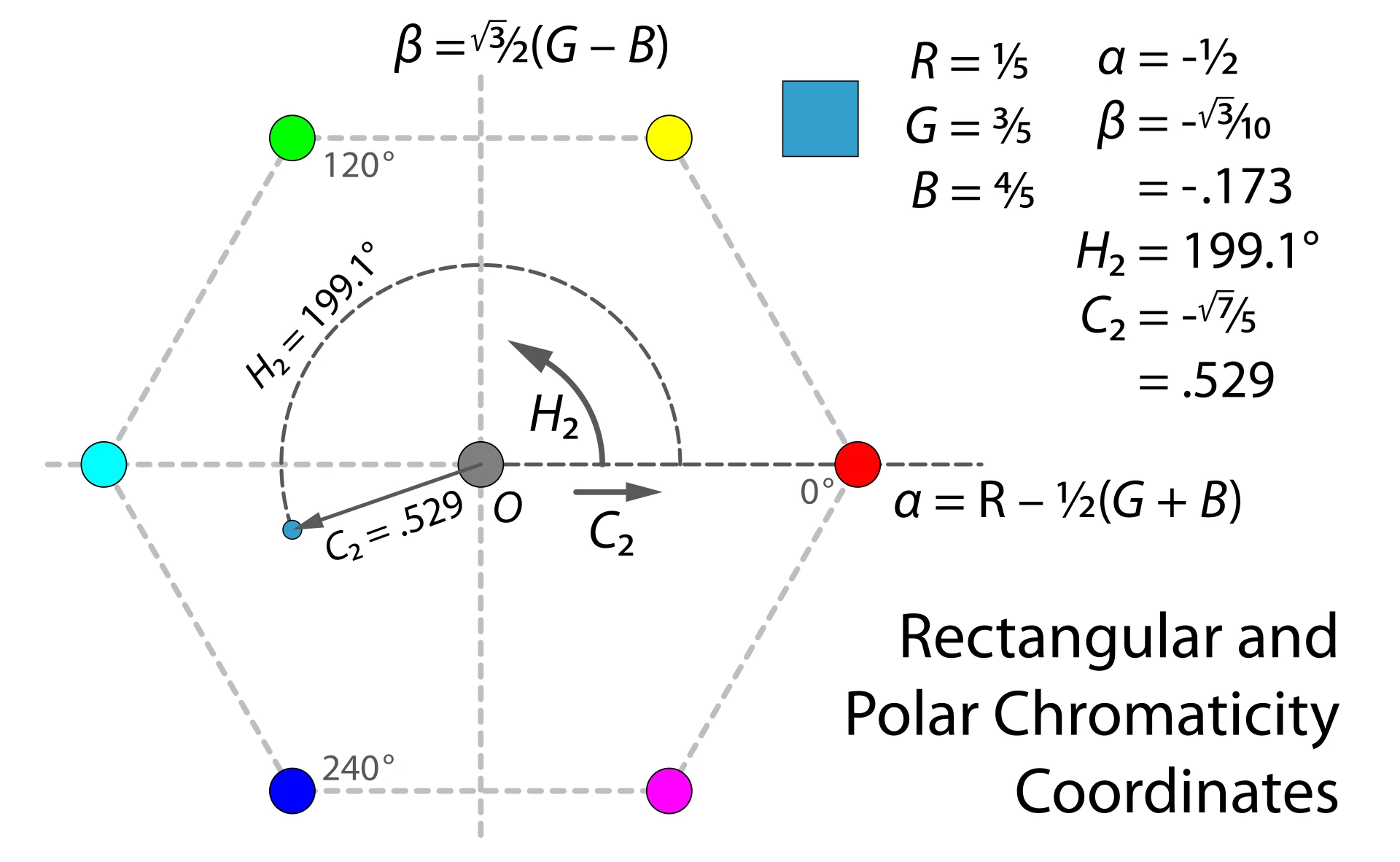
Wikipedia chart: HSV in polar coordinates, hue as the angle and chroma as the radius, on a hexagonal hue plane
Jacob Rus, Wikimedia Commons, CC BY-SA 3.0

Early Exploration

From Red, to Green, to Blue, each stem starts where the last ends, from the center out.
The same colors, from largest to smallest RGB value.
White lines on the hue hexagon, with each hue called out in degrees.

Show the work

While Color Taylor is meant to feel like a playground, the Equations panel shows the classroom view. As the user interacts with the Hex and Color Editor, they can see the math behind the colors.

Look to see how RGB is translated to HSB, HSL, HEX, and Normalized values.

Findings

A few things the hexagon made obvious.

RGB makes it hard to maintain a hue.

Each change of an RGB value changes the Hue value. To keep Hue consistent, you need to adjust RGB values proportionally.

Raising the lowest value desaturates.

Saturation measures the gap between the largest and smallest channel. Close the gap and the color washes toward gray while the hue holds still.

The highest RGB value is Brightness.

In HSB, Brightness is simply the largest of Red, Green and Blue. Push the top channel down and the whole hexagon dims with it.

Design Decisions

What to focus on from the research and discovery.

One picker, everywhere

The app, the Figma plugin and the presentation render the same hexagon component. A fix in one ships to all three.

One vocabulary on the main screen

Consistent language throughout, which also meant choosing HSB over HSL as the entry point, so the main screen carries one set of terms and the complexity stays out of the way.

An Easter egg

An audio synthesizer is embedded in the project, left over from an early lab that was too fun to say no to and too far out of field to detail.

Outcomes

What shipped, and what I learned.

Color Taylor launched on September 17 as a web app, a narrated presentation and a Figma plugin. It began as a way to understand color for myself, and became a way to show it to others.

Project Presentation

In hopes to spread my enthusiasm for the project, I decided to record a presentation walking through the project and some of the themes to explore. The presentation is available in the app, as well as a YouTube video.
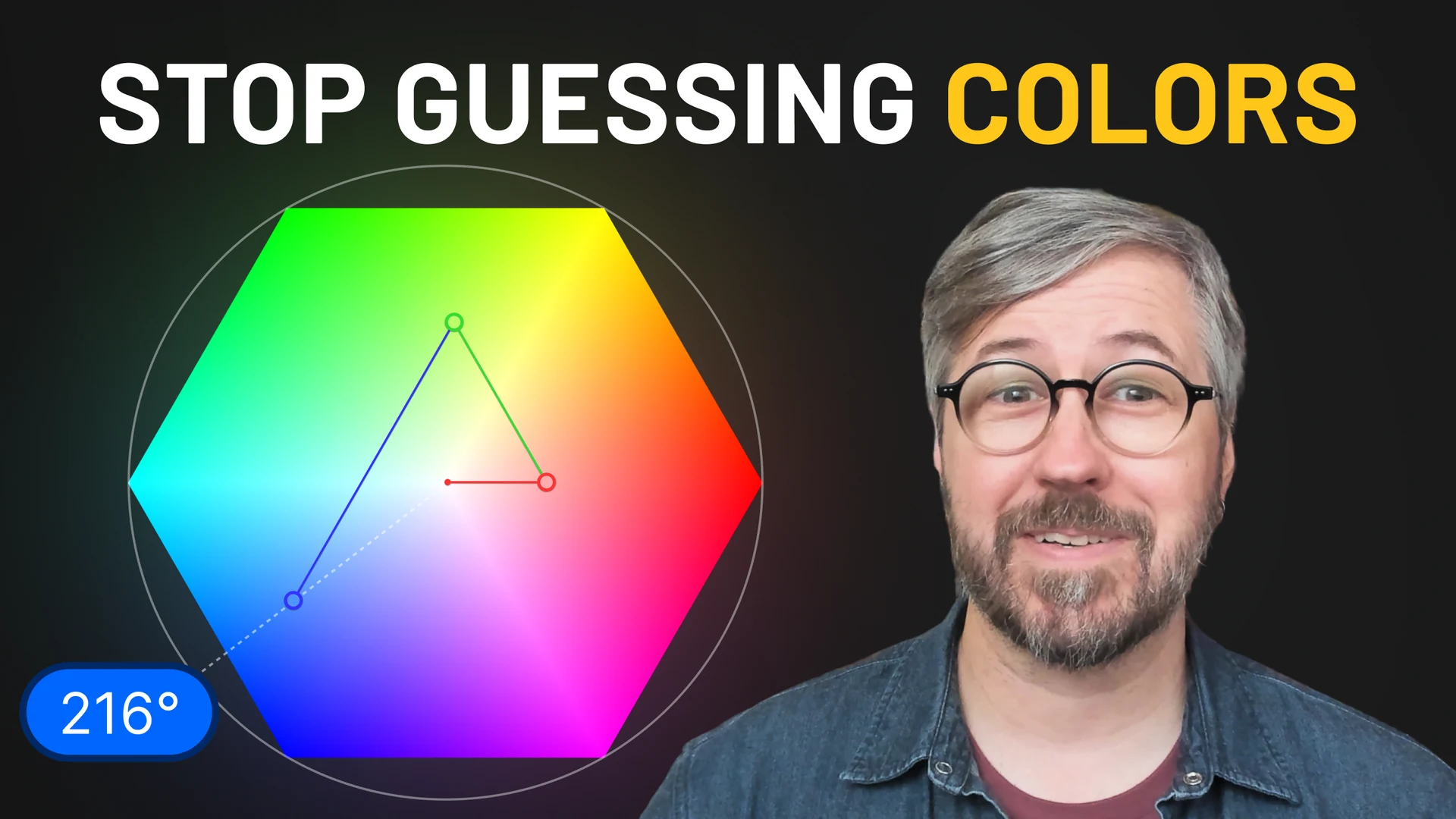
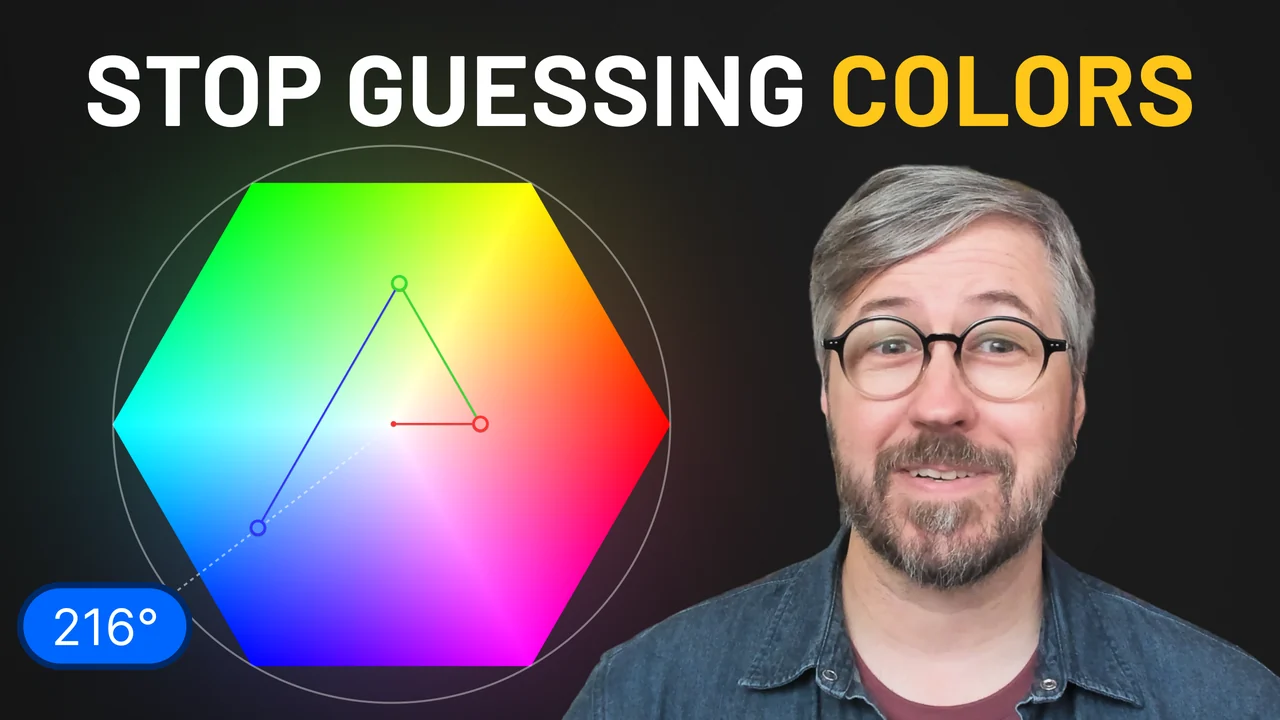
YouTube thumbnail: Stop guessing colors, with the hexagon and Taylor on camera

What nobody tells you about RGB

A/B Testing Thumbnails on YouTube

Thumbnail round 4: Stop guessing colors, with the hexagon and Taylor on camera
What nobody tells you about RGBRound 4
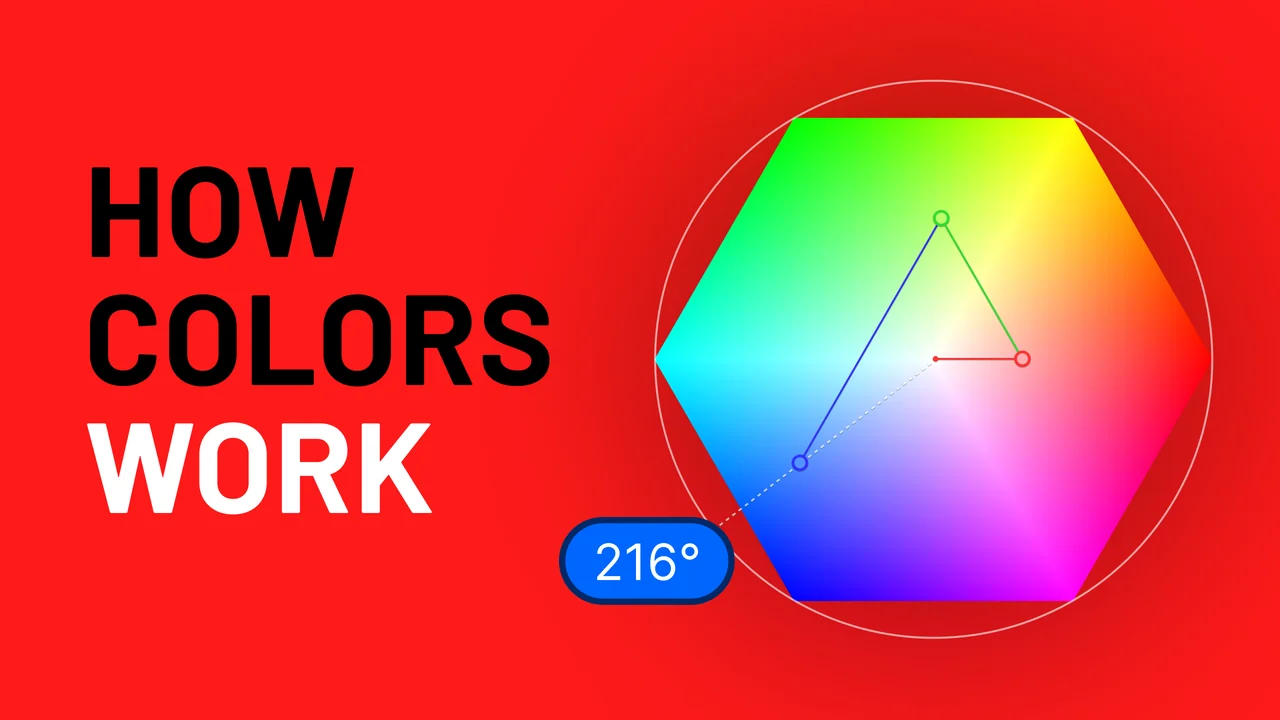
Thumbnail round 3: How colors work, in Black and White on Red beside the full hexagon
Most designers still don’t get RGB, here’s whyRound 3
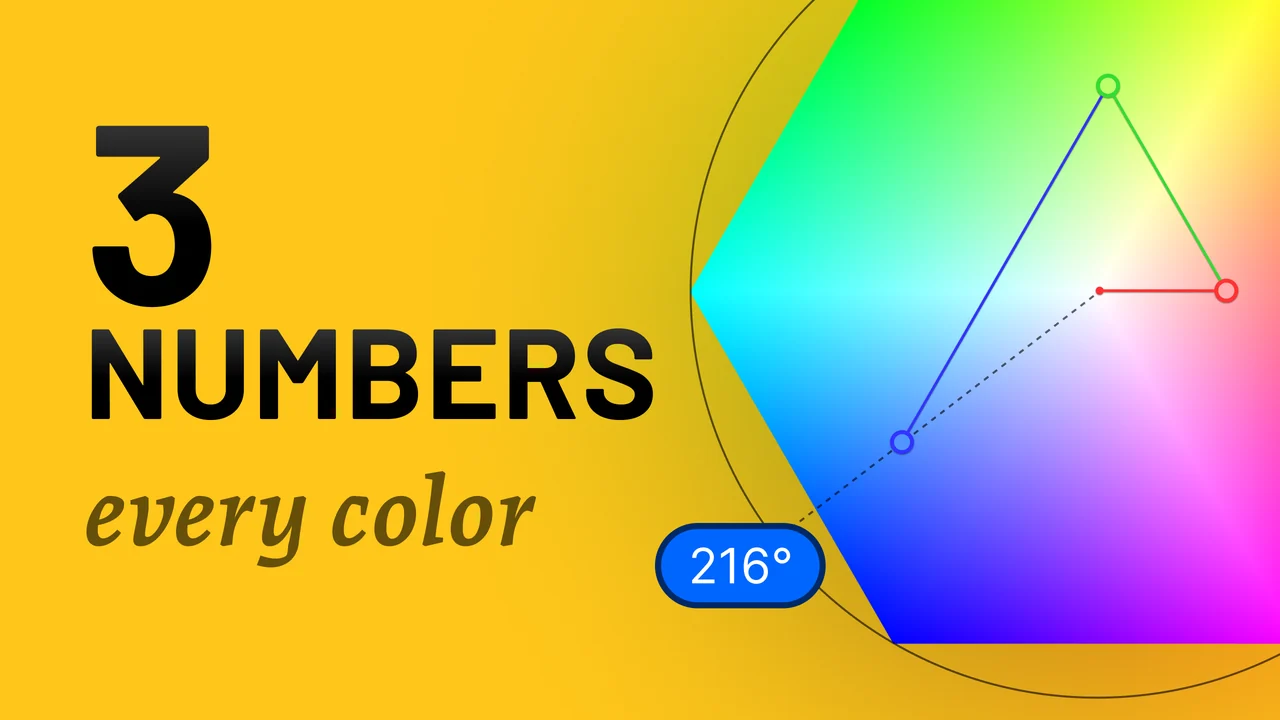
Thumbnail round 2: 3 numbers, every color, in Black on Yellow beside a cropped hexagon
See how RGB and HSB work togetherRound 2

A Presentation Authoring Tool

A dev-only view under the app kept the narration and the choreography in step.

A dev-side tool to pass notes from the presentation’s voice and animation timing to Claude Code for rapid iteration.
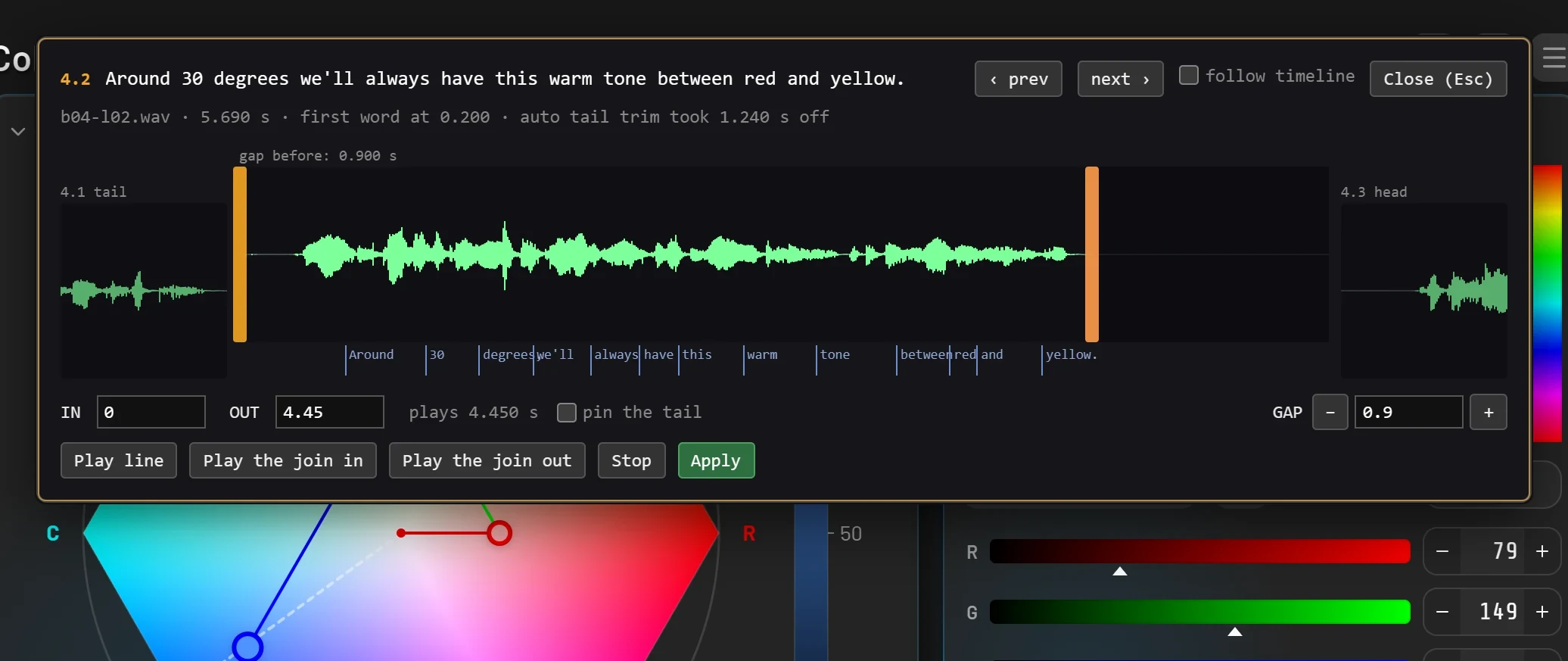
The clip editor on one spoken line: its waveform between the previous line's tail and the next line's head, a tick for each word, the in and out points, and the gap before it

The clip editor: one spoken line’s waveform with a tick for each word, its in and out points, and the gap before it.

I made a Figma plugin, too!

The hex and sliders provide color selection options and affordances that the default Figma color picker doesn’t. This was also a fun experiment to build a Figma plugin.

Get Figma Plugin
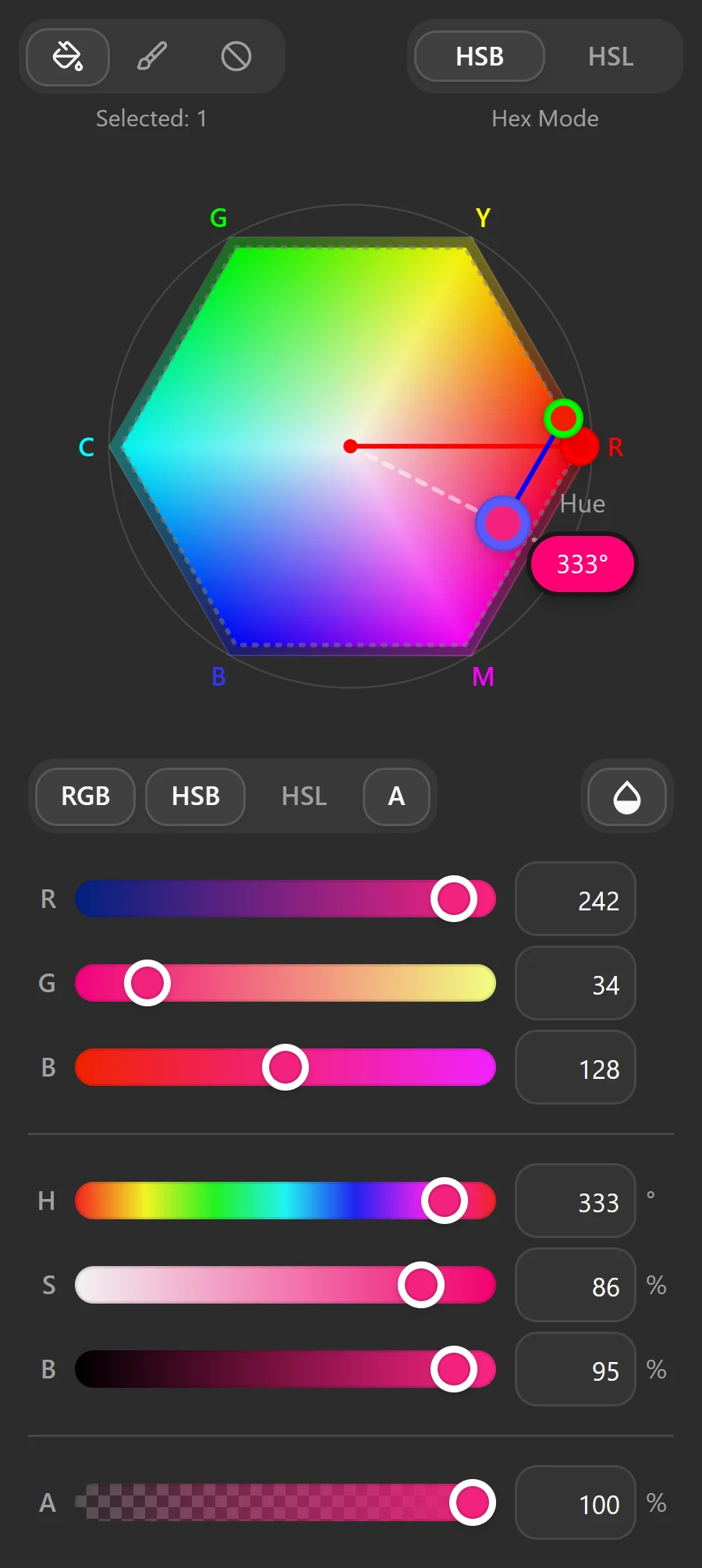
The Figma plugin panel with one layer selected, mid-drag on the hexagon at 333 degrees: RGB, HSB and alpha sliders follow

Takeaways

What I’d carry into the next one.

1

Lead with an entry point,
not the depth

Color models are fascinating. The way to share that is a compelling way in, not the full technical weight.

2

Understand it before explaining it

Even though I’ve used color pickers my entire career, I really had to understand the topic myself, before I could turn around to show others.

3

Agentic coding changes the scale of a side project

Directing Claude Code let one designer ship a tested app, a plugin and an in-app presentation on nights and weekends.

Try It Yourself

Thank you for checking this case study, but don’t take my word for it, now you play with it.

Appendix

Experiments that stayed in the lab

Part of the process, but not part of the initial product.

Rather than crowd the project, I would spin up “Lab” prototypes to explore ideas that came up during the process. This ranged from different ways to visualize colors (Spectrum and Cube), deep dives into color science (CIE and OKLCH), as well as an audio synthesizer that maps colors to tones.

Lab 1

Spectrum

Plots Red, Green, and Blue values as lines across the spectrum. This project shows how each RGB channel is a syncopated wave, and how changing Saturation and Brightness changes the size of that wave.

Lab 2

3D Cube = Hexagon

Ever since using HEX colors in the early days of web development, I was curious what it would be like to map RGB colors to a 3D space. With Claude Code it was a trivial challenge to test out. This was a valuable lab to pursue, though became too complex to reveal in the initial version of Color Taylor.

Lab 3

CIE 1931

Getting deeper into the science, I did a battery of experiments with the Color Hexagon and the iconic CIE 1931 chromaticity diagram, the horseshoe that maps every color the eye can see, with the pure spectral wavelengths around its curved edge. While fascinating, this was getting well out of scope for v1… and my own comprehension. 🤯

Lab 4

OKLCH

OKLCH is a fascinating but complex system for mapping colors. It has been picked up as a standard in CSS, though the nuances of visible chroma are quite hard to understand. While this lab helped my understanding a great deal, I was not ready to try to explain it to others. Perhaps in a future version or project.

Lab 5

Audio Synthesizer and Sequencer

At some point I found an audio synthesizer that was accessible via JavaScript and thought mapping colors to auditory notes would be an interesting experiment. It was! You can find the audio synthesizer in the main app’s settings, under “Audio”. This lab was used to see how far we could push the audio synthesizer by packing audio data into RGB color values.


More Work